GoldieBench Blog · 9 min read
Google Harness2: What It Is, How To Set It Up, And What It Means For The Models
Google Harness2 explained: what Google Research's free Harness² is, how to install it, every feature, and how GLM and Gemini Flash models score.
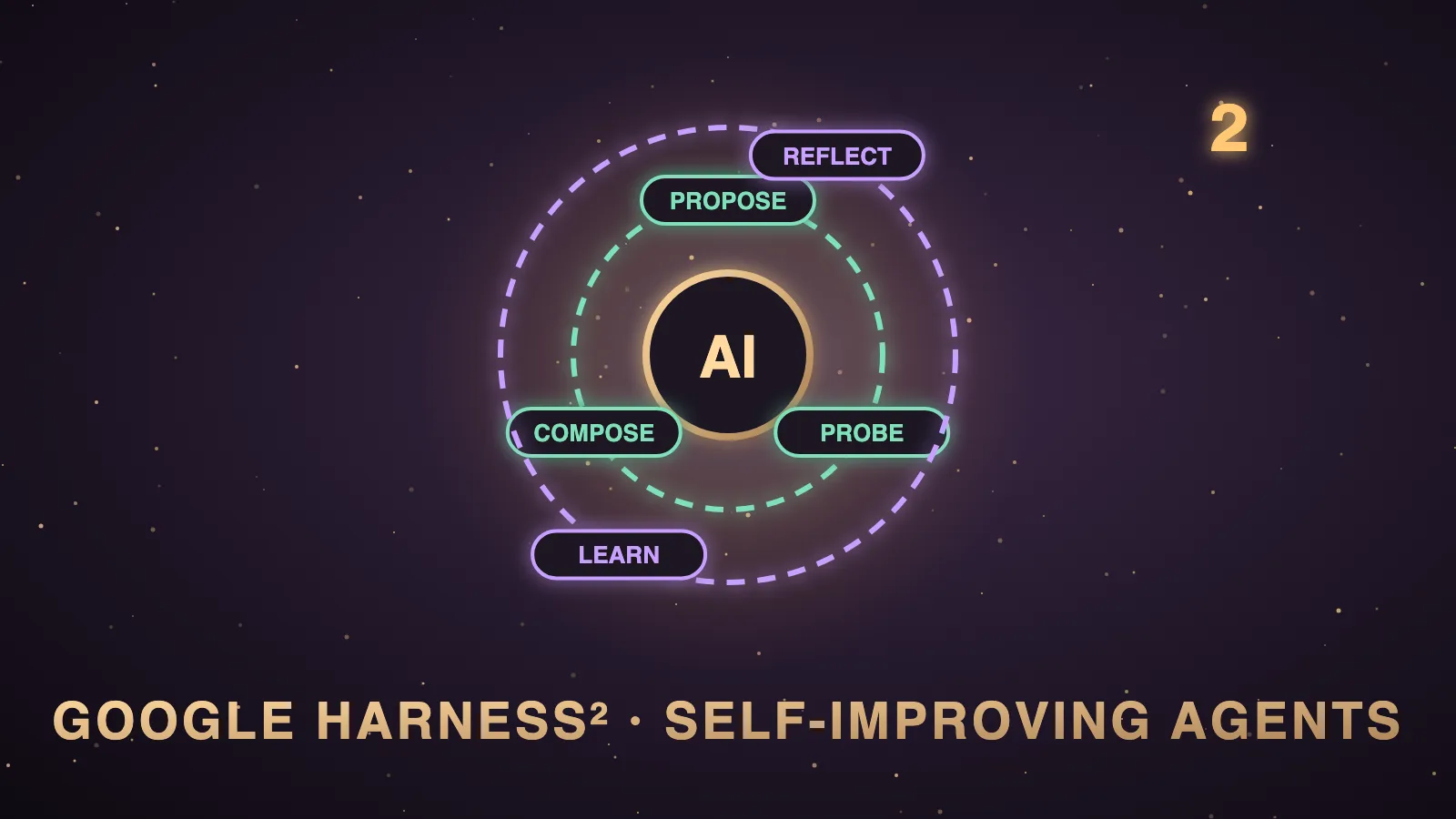
Google Harness2, written Harness² or Harness Squared, is a free, open-source research framework from Google Research that improves an AI agent by editing the setup around the model while the model weights stay the same.
The code is on GitHub at google-research/harness2 under the Apache-2.0 licence, and the paper is arXiv 2610.14224.
An agent tries a task, Harness² proposes and tests edits to its setup on the same task, and it composes the edits that worked into a better setup.
It then keeps the lessons in an improvement harness, so the next task starts with better ideas.
I'm Julian Goldie, and in the video above I explain how it works from the paper and the README.
In this post I'll cover what it is, how to set it up and every feature, and then I'll show you how the models behind the paper compare with what's on GoldieBench.
If you want my team to look at how AI agents and AI search can grow your business, you can book a free one-to-one GEO, AEO AI audit.
| Item | Detail |
|---|---|
| What it is | Harness² is a plug-and-play framework for recursive agent harnessing. |
| Who made it | The authors are from Google Cloud AI Research and Northwestern University, and the repo sits under google-research. |
| Cost | The code is free under Apache-2.0, and model-backed runs incur API costs. |
| Version | The pyproject file lists version 0.1.0. |
| Popularity | The repo had over 16,000 stars and 1,500+ forks by 21 October 2026, and it is still climbing. |
| Paper's models | The paper reports gains for GLM-5 and Gemini 3.5 Flash. |
| Best reported gains | One step gave up to 11.5 points on WorkBuddy-Bench, 4.5 on JobBench and 11.8 percentage points on LAB. |
| Status | The README says it is not an officially supported Google product. |
What is Google Harness2?
The README defines a harness as the system around a model that enables it to act as an agent, including prompts, tools, memory, skills and orchestration.
Harnessing is the process of optimising that system.
I explain it in my video with a kitchen, where the model is the chef and the harness is the kitchen, with recipes on the wall, rules, memory, tools, skills and helpers.
A great chef in a messy kitchen still serves bad food.
Harness² improves the kitchen on two levels while the chef stays exactly the same.
Task-level recursion refines the harness for the current task with a contrastive Propose, Probe, Compose step.
Harnessing-level recursion updates a persistent improvement harness with adopted harnesses and evidence-supported lessons from each task.
The paper's big point is that it works without ground-truth verifiers, so it can improve on tasks nobody wrote an answer key for.
I compared that to testing two routes to the gym, because you can see which one is faster without being told the right answer.
How Harness² works, step by step
The README describes one full Harness² step like this.
| Stage | What happens |
|---|---|
| Agent executor | It runs the task with the initial harness. |
| Harness editor | It proposes general invariant edits and domain-specific edits. |
| Candidate probes | They run the edited harnesses on the same task. |
| Harness composer | It combines the useful edits into the final harness. |
| Experience reflector | It reflects on the step and updates the improvement harness for the next task. |
The project page adds that each new task resets the executor to the base harness, while the improvement library keeps harness files and an EXPERIENCE.md file.
The eight harness parts it edits
The README says Harness² exposes eight editable components around the model.
| Component | Runtime role |
|---|---|
| System prompt | It constructs context. |
| Guardrails | It constructs context. |
| Memory | It constructs context. |
| Skills | It constructs context. |
| Tool guidance | It defines the tool interface. |
| Scripts | It defines the tool interface with ready-made code. |
| Subagents | They orchestrate delegated work. |
| Plugins | They control middleware in the tool loop. |
In my Agent OS, Claude, Hermes, OpenClaw and OpenCode share one memory in Obsidian, and most fixes I make are in these parts rather than in the model.
It's usually a skill file with a bad rule, a missing memory note or vague instructions.
How to install Google Harness2
The README says to use Linux, Python 3.12 and uv, and to run these commands from the repository root.
uv venv --python 3.12 .venv
source .venv/bin/activate
uv pip install -e '.[render]'
harness2-demo --output runs/demo --k 2
The demo runs both recursion modes with deterministic editors and real Python executions, and it requires no model credentials.
For model-backed benchmarks, the README asks for Node.js 20+, the Google Cloud CLI and the benchmark dependencies, and then these commands.
cp .env.example .env
# Edit .env with your Vertex AI project and model IDs.
gcloud auth application-default login
The README's first real run installs LAB and runs one task.
harness2-setup lab
harness2-check --bench lab
harness2 --bench lab --k 1 --mode parallel \
  --only-domains antitrust-competition --max-tasks 1
harness2-judge --bench lab --k 1 --mode parallel
harness2-report --bench lab --k 1 --mode parallel
The README warns that model-backed runs incur API costs, so start with a small task selection.
If you'd like help working out where agents fit your business and your search traffic, grab a free one-to-one strategy session and we'll look at your site, your competitors and the keywords you're closest to winning.
Every Harness² feature and option
| Feature | How it works |
|---|---|
| Parallel recursion | It probes K general and K domain-specific candidates, then produces K compositions. |
| Sequential recursion | It carries the refined harness through K successive steps. |
| Recursion budget | The --k flag sets the task-level recursion budget. |
| Executors | OpenCode is the default, and --substrate cx switches to Codex. |
| JobBench | It covers professional work and installs with harness2-setup jb. |
| LAB | It covers legal work, installs with harness2-setup lab, and needs Pandoc and Poppler. |
| WorkBuddy-Bench | It covers office, web and code work, installs with harness2-setup wb, and needs Docker. |
| Dry run | The --dry-run flag previews task selection without model calls. |
| Results | Runs save task summaries, deliverables, adopted harnesses, reflection notes and evaluation results under runs/. |
| Resume | Repeating the same command resumes a run, and a new HARNESS2_RUNS_DIR keeps different models apart. |
The README says parallel explores wider and sequential refines deeper, and in my video I used a budget of 3 as the example.
Judging and reporting must use the same benchmark, executor, subset, --k, --mode and seed as the refinement run.
The problem Harness² solves
Most agents get set up once and then never improve.
An engineer called Ash Pachar, who used to work at Lightning AI, made a point that I paraphrased in my video, which is that a person usually designs the harness once and then leaves it alone.
When the agent gives weak results, the usual fix is to pay for a bigger model.
Harness² tests a cheaper idea first, which is that the setup around the same model can keep getting better with every task.
That matters for anyone reading a leaderboard, because a model's score is only half of what you'll get from it in a real agent.
Is Google Harness2 just Hermes redone?
A viewer asked exactly that under my video, and it's a fair question.
Hermes Agent has skills and memory that you can edit yourself while it does your daily work.
Harness² is a research framework that automatically proposes, probes and composes harness edits for OpenCode or Codex executors, then measures them on benchmarks.
I'd use Hermes to do the work and treat Harness² as the lab that shows which setup changes are worth copying.
A simple first week with Harness²
This is the order I'd give anyone technical on their first week.
| Day | What you do | Why it matters |
|---|---|---|
| Day 1 | You set up Linux, Python 3.12 and uv, then run the install commands. | You get a working environment before any money is spent. |
| Day 2 | You run harness2-demo and read the runs/demo folder. | You see Propose, Probe, Compose working with no model credentials. |
| Day 3 | You add your Vertex AI project to .env and log in with gcloud. | Your model-backed runs can now reach real models. |
| Day 4 | You run one LAB task with --dry-run first, then for real. | You see the real cost of one task before you scale. |
| Day 5 | You read the adopted harness and the reflection notes. | You copy the best rules and memory notes into your own agent. |
That last step is where most of the value lands for a normal business, because parts of the adopted harness, such as the system prompt file, are plain text you can reuse.
Limits to know first
It costs more to run, because each probe is a full run of the task.
It is a research project, and version 0.1.0 is an early release.
It is technical, because it needs Linux, Python, Node.js and the Google Cloud CLI, so it is not a no-code tool.
The README says executor network access is unrestricted and Codex runs with its sandbox disabled, so configure network restrictions before evaluation.
The README says it is not an officially supported Google product.
I didn't run Harness² myself in my video, so the results in this post come from the paper, the README and the project page.
Does Google Harness2 ship its own model?
No, it doesn't.
Harness² keeps the model weights fixed and only edits the harness around the model.
The paper tested it on GLM-5 and Gemini 3.5 Flash across three professional benchmarks and four model and harness configurations.
The project page's clearest example is Gemini 3.5 Flash on OpenCode, which went from 72.4 to 77.5 on WorkBuddy with one step and to 80.8 with parallel recursion at k = 5.
In my own Agent OS, OpenCode runs with MiniMax M3.1 Flash as its brain, and OpenCode is also the default Harness² executor.
How the Harness² models compare on GoldieBench
GoldieBench gives every model the same one-shot prompt to build a game, a page, a simulation or a visual, then scores the rendered result from 0 to 10.
That measures the chef with a fixed kitchen, while Harness² measures what happens when the kitchen improves, so the two scales can't be compared directly.
Neither of the paper's two models is on the board yet, so here are the nearest models that are.
| Model named | On GoldieBench | Live score | Note |
|---|---|---|---|
| GLM-5 | GLM-5.2 | 7.77 average | GLM-5 itself isn't benched, so this is the nearest GLM, with 47 scored tasks. |
| Gemini 3.5 Flash | Gemini 3.6 Flash | 7.08 average | Gemini 3.5 Flash isn't benched, so this is the nearest Gemini Flash, with 50 scored tasks. |
| MiniMax M3.1 Flash | MiniMax M3 | 7.97 average | My OpenCode brain isn't benched, so this is the nearest MiniMax, with 47 scored tasks. |
On those numbers, the GLM line sits ahead of the Gemini Flash line on one-shot builds.
The paper's lesson is that both can do noticeably better on professional tasks once their harness improves.
That is the useful takeaway for anyone choosing a brain, because a better setup can close part of the gap you were going to pay to close with a bigger model.
If you're picking a brain for a daily agent rather than a research run, my post on the best Hermes Agent model uses the same live board.
If you want to run a brain on your own machine, check the local models board before you choose.
Who should use Google Harness2
Researchers and engineers who benchmark OpenCode or Codex agents should install it today.
Teams running agents on office, research or legal-style work should run the demo and one small task.
Non-coders should take the lesson, which is that instructions, rules, memory and skills are plain English you can improve today.
If you want a free local harness you can use every day, my StarNet AI agent post is a good place to start.
If you want my team to show you how to turn AI agents and content into Google and AI search traffic, book a free SEO strategy session.
Also On Our Network
- Agent Operatorsthe five-step Harness² setup walkthrough
- AI Income Deskseven ways a business can use the Harness² lessons
- AI Tool Verdictevery Harness² feature, scored with a verdict
- agentos.guidethe Harness² quick start for an Agent OS
- agentos.guidemy Harness Multiplier guide on agentos.guide
If you want a clear plan for getting your business found in Google and AI search, book your free strategy session with my team.
Pick a strong brain from the live board, then improve its kitchen, and you'll get the most out of the idea behind Google Harness2.
FAQ
What is Google Harness2?
Google Harness2, written Harness² or Harness Squared, is a free, open-source research framework from Google Research at github.com/google-research/harness2. It improves an AI agent by editing the harness around the model, such as its system prompt, memory and skills, while the model weights stay fixed.
Is Harness² free?
Yes. The code is free and open source under Apache-2.0, and the local demo needs no model credentials. Model-backed runs go through Vertex AI, and the README warns that they incur API costs.
Does Google Harness2 ship its own model?
No. Harness² does not ship or change a model, and it only edits the harness around the model. The paper reports gains for GLM-5 and Gemini 3.5 Flash with OpenCode and Codex executors.
Are GLM-5 and Gemini 3.5 Flash on GoldieBench?
Not yet. The nearest models on the live board are GLM-5.2 at 7.77 across 47 scored tasks and Gemini 3.6 Flash at 7.08 across 50 scored tasks, and MiniMax M3 sits at 7.97 across 47 tasks.
How do I install Harness²?
The README says to use Linux, Python 3.12 and uv. From the repository root you run uv venv --python 3.12 .venv, source .venv/bin/activate, uv pip install -e '.[render]' and harness2-demo --output runs/demo --k 2.
Is Harness² an official Google product?
No. The README says it is not an officially supported Google product, and it is an early research release at version 0.1.0.
Keep reading
 Hermes Herald AI Agent: Which Brain To Run It On, With Real GoldieBench Scores
 GEO Examples: Four Real AI Overview Wins, The Three Moves Behind Them, And The Models Writing The Answers
 Best Generative Engine Optimization Agency: Seven Picks By Region, And How The Models Behind AI Answers Score
🌐 Sister-site take: read this on agentos.guide